 Musubu Recipes
日本語
Musubu Recipes
日本語
Any cooking video,
written out as steps.
Even when the video has no captions. Then cook two or three dishes on one timeline, so everything is ready at the same time.
Premium: 7‑day free trial
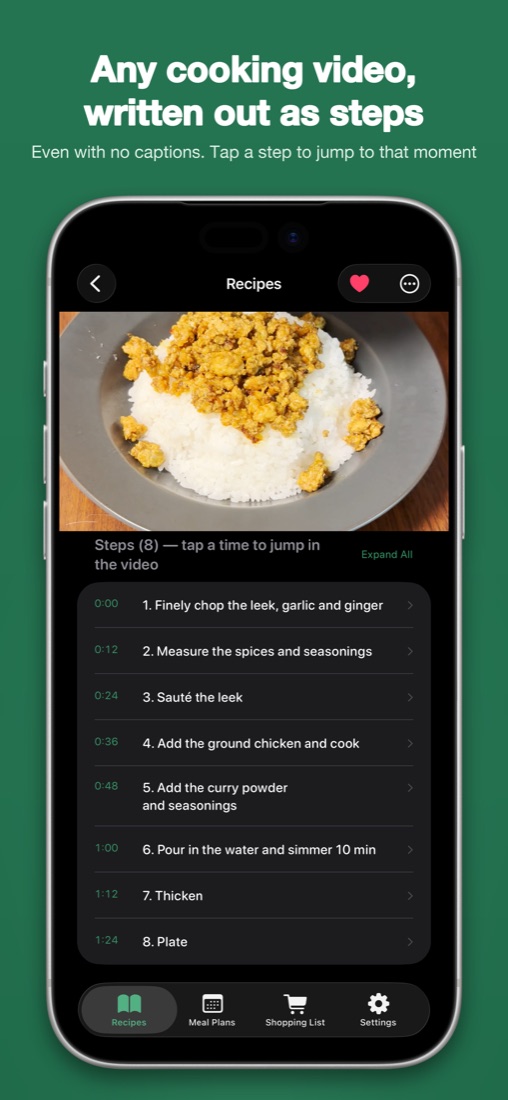
From a video you found to dinner on the table
Musubu does the writing-down and the scheduling. You just cook.
No captions? Still a recipe.
Share a YouTube link or a saved video file. Musubu writes out the ingredients, amounts, steps and what “done” looks like, taken from the footage itself.
- Every step links back to the moment in the video, so you can jump and check.
- Web pages, cookbook photos, PDFs and pasted text import the same way.
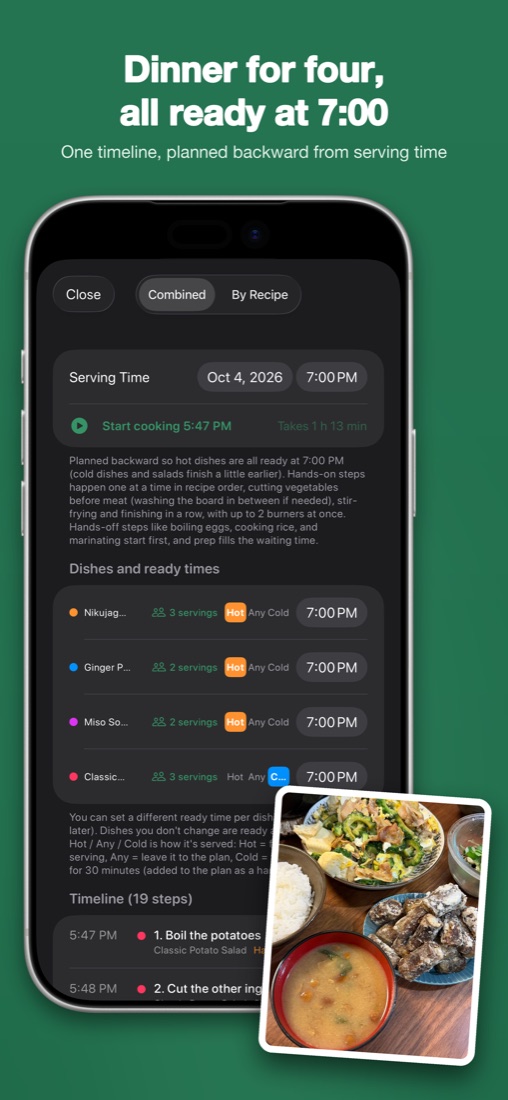
Dinner for four, all ready at 7:00.
Pick the dishes and Musubu plans backward from serving time into a single list of steps.
- Vegetables are cut before raw meat, and a board-and-knife wash is added when needed.
- Hands-off steps such as boiling eggs, cooking rice or marinating start early.
- It respects how many burners you have and which dishes should be served hot or cold.
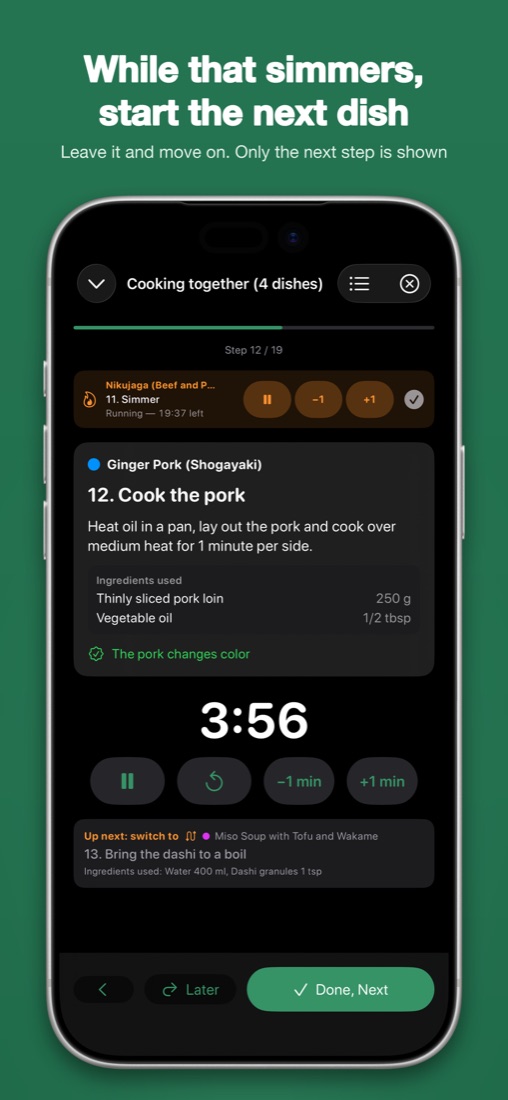
While that simmers, start the next dish.
Cook Mode shows one step at a time in large type. Timers start on their own and notify you when they end.
- Leave a simmer running and move on. Musubu reminds you when to stir or check.
- It warns you before switching to a different dish.
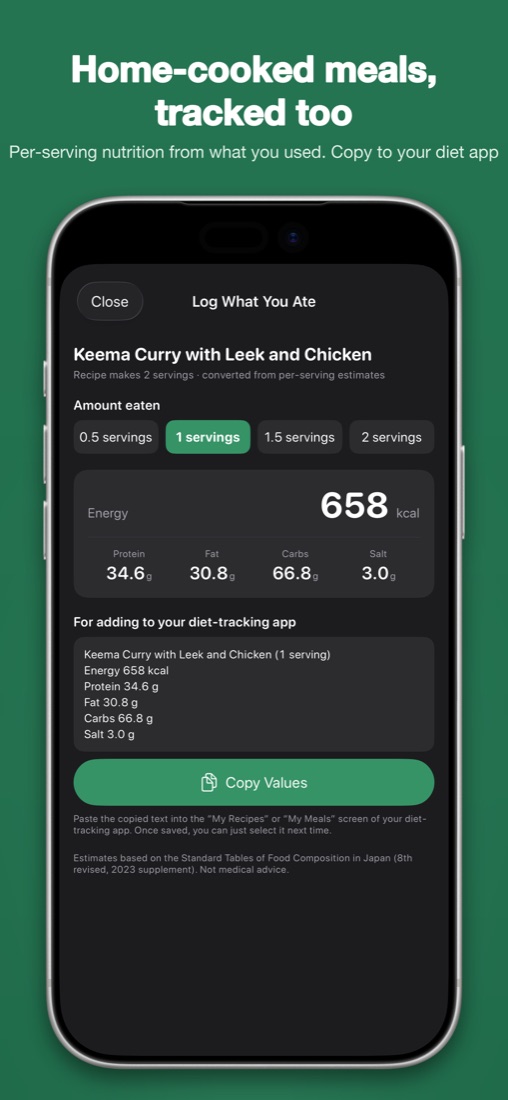
Home-cooked meals, tracked too.
Energy, protein, fat, carbs and salt are estimated per serving from the ingredients and amounts you actually used, not a generic lookup by dish name.
- Copy the numbers to your diet or health app in one tap.
- Keep photos and ratings of what you cooked on a calendar.
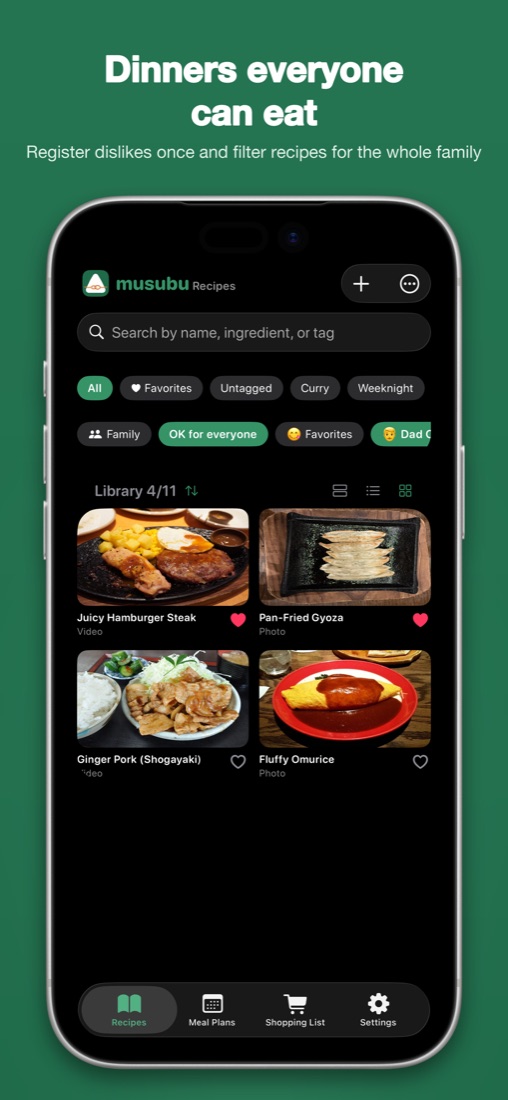
Dinners everyone can eat.
Register who dislikes what once, and see at a glance which recipes work for the whole family.
- Family data stays on your device.
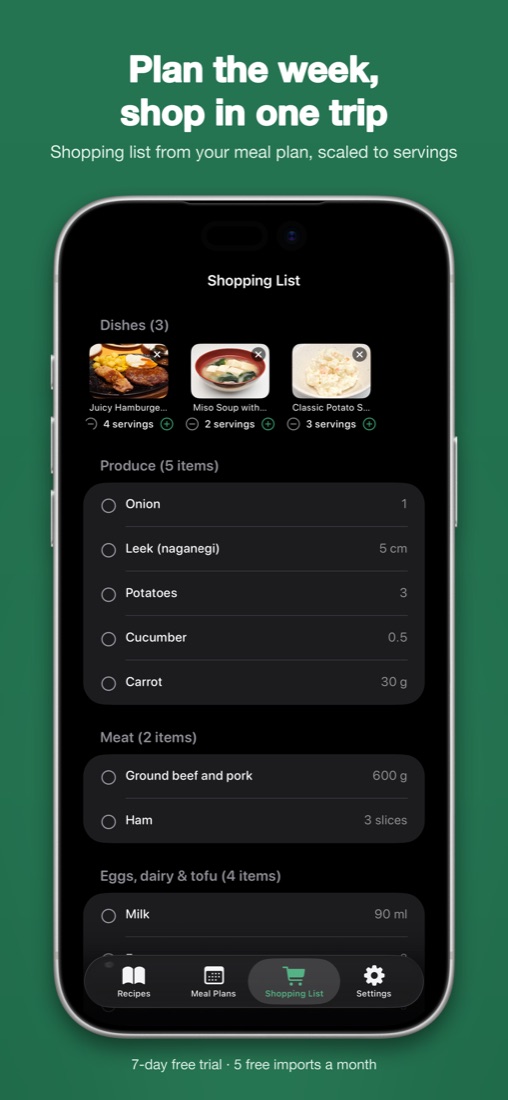
Plan the week, shop in one trip.
Plan meals on a calendar and build a shopping list from them. Amounts scale when you change the number of servings.
How it works
Plans
Free
No account required
- 5 imports a month
- Library of 30 recipes
- Timelines of up to 2 dishes
- Cook Mode, nutrition estimates, meal plans and shopping lists
Premium
7‑day free trial, then US$5.99 a month or US$39.99 a year (prices vary by country)
- Unlimited imports and library
- Timelines of 3 or more dishes
- Bulk import of playlists
- Cancel anytime in your Apple ID settings
Questions
Does it really work on videos with no captions or voice?
Yes. The steps are taken from the footage itself, so silent and ASMR‑style cooking videos work. Timestamps are most accurate when each step is shown clearly on screen.
Which sources can I import?
YouTube videos, saved video files (for example a reel you saved), recipe web pages, photos of a cookbook page, PDFs and pasted text.
Is the imported recipe always right?
Structuring is done by generative AI and may contain mistakes. Every step links back to the video or page, so you can check the source quickly.
How accurate is the nutrition estimate?
Values are estimates based on the Standard Tables of Food Composition in Japan, computed from the ingredients and amounts you used. They are not medical advice.
Who makes this?
Musubu is made by one home cook and developer in Japan. There are no ads and no tracking. The app only ever links back to the original video or page.
Free to start · 5 imports a month · Premium with a 7‑day free trial